
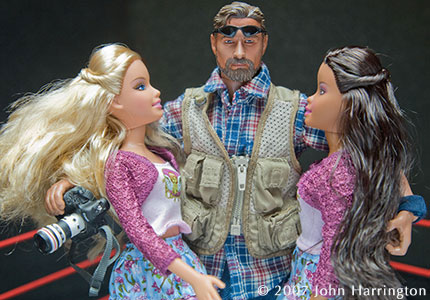
To choose, to choose. Barbie or Penelope? Errr…..Nikon, or Canon?
(Continued after the Jump)
Honestly, I am glad I don’t have to choose. I’ve got a blonde and a brunette…err…a Canon and Nikon.
For large commercial jobs, where I am thinking I want a higher native resolution, it’ll be the Canon I reach for. For low light situations, which are all too common, it will, without a doubt, be Nikon. In fact, with the noise issue out of the way, and most client deliverables needing to be down-rezzed anyway, I can see that the Nikon not only would be a better solution to speeding up my post-production process, but moreover, storing the RAW/DNG files will save me significant hard-drive space in my archives over the larger Canon files.
Will the Mark III have issues it’s earlier Mark III siblings had? I hope not. Will Nikon have an as-yet-unknown issue? Who knows. We’re all their guinea pigs, shelling out thousands to fuel their R&D, with the consumers being the beneficiaries.
Advantage? Photo Finish – Nikon by a nose, for what I do. How about you?
- Nikon vs Canon – Introduction
- Canon – A first look
- Nikon – A first look
- Nikon vs Canon -The Noise Issue
- Nikon vs Canon -The MegaPixel Issue
- Nikon vs Canon – Shooting Tethered
- Nikon vs Canon – The LCD Screen
- Nikon vs Canon – External Ports
- Nikon vs Canon – Buttons and Access
- Nikon vs Canon – Card slots
- Nikon vs Canon – The Future
- Nikon vs Canon – Conclusions
Please post your comments by clicking the link below. If you’ve got questions, please pose them in our Photo Business Forum Flickr Group Discussion Threads.
Originally published on Photo Business News & Forum on December 8, 2007. Comments are closed; this post is part of the archive.
(I have no money)
But when I get money, I’ll be going the way of the D3 (or, more likely, the D3x by then).
I also like Nikon’s flash system, pity they couldn’t include some sort of commander system in the D3 (yeah, I know, I should get the SU-800 commander, but still)
I’m a bit worried about the AF in low light, I mean it’s no use having ISO25,600, when you can’t focus. My eyes are not that great, so MF is a last resort for me.
Please go through your review and fix the formatting around the images though, it’s a pain to read down the side of the pictures!
Robertv!
Nikon D3 is specially design to shoot at low light, hence the 14 bits processor is tune from ISO 200.
Whereas the Canon like the Hasselblad H3D is a studio camera hence their 14 bits processor are tune from ISO 50!
If you compare the both camera at ISO 200, I can show you the noise level of the Canon will be better!
Futhermore, you use a software to blow up the Nikon file, I am sure if you do the same with the Canon file it will make even bigger prints.
It like trying to compare with the 22MP Hasselblad H3D file with a blow up Nikon D3 file.
It is meaningless! If it is that good no one will invest for a medium format digital back.
For camera test, you need to compare with the entire ISO range! Redo your test with ISO200.
Would be interested to see what the 1D Mk III files look like after using some 3rd party (not Adobe) noise reduction software and then compare this to the up-rezzed D3…
The “same converter” argument you made is not really true. ACR/LightRoom uses different settings and parameters even at defaults, on diffrent types of files. Noise form DPP and ACR are quite similar, but not between NX and ACR. ACR always generate the kind of (“Rou”, a term used in China) plasticky looking, which makes the D3 images similar to the Canon’s. The looking works well in studio but not for landscapes.
The exceptional capability of upsampling of the D3 RAW image’s are mostly because of their original cleanness. The pixels are not really sharp to begin with, and nor are the micro contrasts, just like in my Imacon 949 film scans without sharpening applied. Nevertheless, the pixels are so creamy and pure they do not break down easily and early, at the common points around 150% upsampling ratio.
We should educate the readers to find the best workflow to upsample their printing files well beyond 100%, for the ultimate fine detail potentials, not just keep the masters at 100% and printing them out at 120dpi and by doing so give up the last hope of any details beyond such resolution.
Read Lloyd Chambers’ D3 blog here. He was initially critical to the D3’s per pixel sharpeness.
http://www.diglloyd.com/diglloyd/blog.html
Is the D3 twice as good as the Canon 5D, Even in low light? I doubt it!
Noise comparisons are difficult because of the file sizes. The only way to fairly compare them is to compare them for specific uses and hard proof those uses:
Huge Poster at 100,400,3200
Double truck at 100,400,3200
1/4 page at 100,400,3200
None of this concerns me much as I think they will come out very close.
Nikon is a clear winner in the flash category. Multiple flashes can be individually controlled more accurately and they use 5 batteries instead of 4. Canon does have the Flash Exposure Lock feature which I like.
I feel that I need both camera systems because of the lens selection. I won’t make any general comments about lenses because like Barbie dolls each one is very different. Nikon has 5 new lenses and there is a rumor that 10 more will be out with the D3x in the spring. DX lenses are a real disappointment on the D3, you only get a 5.1MP file. Don’t throw away your DX sized 10.5 fisheye yet, the rumored D3X will get you a bigger file.
Tethering is another issue, I never had luck tethering Nikons because of software issues. Canon seems to have the edge here.
I’m a grass is always greener on the other side guy. Love the one your with!
Adobes ARC, Lightroom, Aperture, Bibble, Capture One (any 3rd party raw converter) CANNOT read the instruction set on the NEF file. They ignore it and tag it with an .xmp file (an .xmp file is an Instruction set for and Encrypted Instruction set!! not as good by any means)
the only way to truly compare the results is to covert with Both canon and nikons software.
the cool and AMAZING thing about nikons Capture NX is that IT CAN REWRITE THE instruction set as many times as you like!!! thats raw conversion… thats why Leaf/Phase digital backs are soooo amazing (you can rewrite the instruction set)
what does all this mean….well If we pay 5000 bucks for a D3…we’re hoping that the camera might be able to take a sweet photo right out of the camera right? well yes it can..you can change all its wonderful settings…..BUT the second you open that NEF file with, lets say, Adobe Camera RAW….IT IGNORES EVERYTHING .. ALL of the encrypted instruction set…. and re-reads the raw data and wants you to process it back to what the camera could have already done perfect… its a real bummer
same for medium format digital backs. I would be a fool not to use Leafs software to convert there mosaics… if i used ARC it would ignore all the important stuff!!
no one seems to realize how important that really is
ppl might be feeling pissed now,….like WHY wont Nikon or LEaf or whomever allow Adobe or Apple access to their encrypted instruction sets…well because each company wouldnt have their little edge in the raw world..
for instance Nikons NEF allows you to well Change any and all settings you applied in camera. Like if you were in the wrong color mode or over-sharpened …you can undo and change things..whenever
whats even cooler is the fact that you can ADD ON to the nef files instruction set!!! you can do ANY adjustment Capture NX has to offer as a “New Step” AND do it SelectivelY!!!!!!! Selective Curves, LCH, Levels, SELECTIVE DISTORTION CONTROL, noise reduction, sharping, BW, Cropping, selective anything….and then what? CLICK SAVE!!! thats whats amazing.. it’s added on to the instruction set and you can change it at ANY time….
if you still need photoshop… click “open with” in NX and it opens it in PS as a 16 Bit Tiff….
or you can continue using ACR and getting so so results…
hmmmmkay
In fact, for the first time I am also regretting that I bought the MIII.
I hope Canon sees this because if Nikon can pull off one or two more advances like this I will be selling out and smiling all the way.
Fun article. Thank you
day. I shoot weddings now with a d200 and am very happy with the results (set aside the crappy battery grip (shame on Nikon). I would love to have the D3 based on the low noise but the price point is a bit high. I realize the chips are different but would love to see some high ISOs from the D300 (I would sleep better at that price point). Anyhow if you get the chance please post some “real world” images at the higher ISOs of the Nikon. I am sure it will be a great help to many making a decision what to purchase.
As we know, the signal to noise ratio does change with pixel size. But there is much more than just SN that makes a great file to work with.
Give me the Canon with the extra sharpness, file size etc. I can use in camera settings (you said you didn’t turn on High ISO noise reduction on the Canon) or Noise Ninja etc.
The D3 does seem to have incredible noise performance at high ISO, but with no plausible explanation yet (basic physics imposes some pretty tough constraints on what can be achieved).
I would have preferred to see crops that included real fabric, skin or hair. The trouble with plastic skin is that it has no discernible texture so, IMHO, is a poor test of detail, sharpness, resolution.
Kausik
Not to mention the new Nikon lenses have blown through all the resolution tests, the 14-24, 24-70 etc, don’t be a sore loser…
However, what I’d really like is for someone to produce a D3x-alike that’s got all the feature-bloat removed. Artificial horizon? Well, if I really needed that I’d also need a voice facility that told me “you have now fallen over”. All I really need is a simple camera with high megapixel and a full-frame sensor. Too much to ask?
SEX情色
辣妹妹視訊
愛情聊天室
色情貼圖網
交友聊天-線上免費
色情A片-線上免費
美女視訊-聊天室
日本女優色情自拍
情色遊戲天堂
18禁 -女優王國
視訊聯誼聊天室
成人情色貼圖區
辣妹視訊交友網
成人交友網
成人情色視訊聊天室
AV女優-無碼A片天堂
女優天堂
免費A片線上下載
情人視訊聊天室